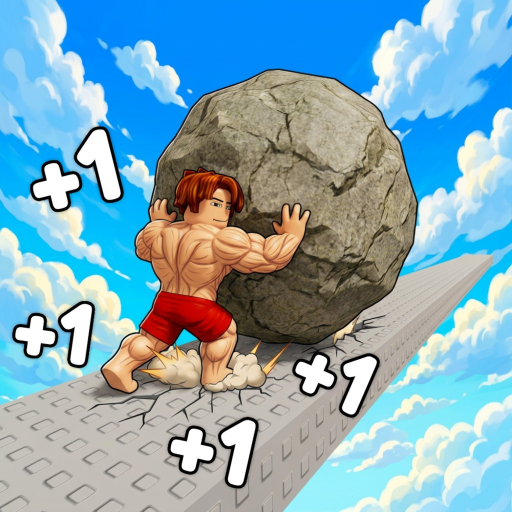
+1 Muscle to Push Boulder Controls Guide
Last verified: 2026-07-08
Controls Overview
+1 Muscle to Push Boulder by Doolittle! combines idle-style muscle training with active boulder pushing segments. Understanding inputs on your platform keeps muscle gains steady and prevents failed push attempts when the boulder rolls back.
This wiki covers +1 Muscle to Push Boulder by Doolittle! (Place ID 136107936984073). It is not Sisyphus Muscle Push, Push A Rock, or +1 Muscle to Arm Wrestle — those are separate Roblox titles with different mechanics, developers, and code lists.
Controls follow standard Roblox conventions: move with WASD or thumbstick, interact with click or tap, and open menus through on-screen buttons. Exact keybinds may shift slightly after patches — we verify against Place ID 136107936984073 after each major update noted on our updates page.
Core Game Actions
Movement — Navigate between gym stations, egg shops, and the boulder route. Efficient pathing matters for fast progress covered in our fast progress guide.
Train / Lift — Hold or tap the interact control at gym equipment to gain muscle. Higher-tier gyms unlock with muscle thresholds detailed on unlock requirements.
Push Boulder — When your muscle meets route gates, use the push action to advance checkpoints. Timing and build choice are covered in the boulder push build.
Hatch & Equip Pets — Open egg UI near vendors, hatch, then equip pets from inventory. Pet multipliers stack with gym upgrades per our pet tier list.
Rebirth — Access rebirth menu when requirements are met. See rebirth overview before resetting progress for multipliers.
Choose Your Platform Guide
Each platform hides the same mechanics behind different input layers. Jump to the dedicated page for binding details and optimization tips:
- PC controls — Keyboard, mouse, and optional shift-lock for training AFK setups.
- Mobile controls — Touch buttons, joystick, and battery-saving training tips.
- Console controls — Xbox and PlayStation gamepad layout and menu navigation.
General Control Tips
Enable Roblox shift lock on PC when pushing narrow routes — it stabilizes camera angle during long push holds. Mobile players should enlarge the jump button only if the game requires obstacle hops on certain worlds.
If inputs feel unresponsive, check Roblox graphics and ping first. High latency delays muscle tick registration more than wrong keybinds. Rejoining a public server often fixes stuck interact prompts at gym machines.
Pair control mastery with the beginner guide for a full first-session loop from first lift to first meaningful boulder movement.
Input Mastery Across Sessions
Muscle sim progress is hours of repeated inputs. Small control improvements compound: stable camera during boulder pushes, reliable interact holds at high-tier gyms, and fast menu navigation for pet swaps. Platform guides under controls hub exist because push failures often look like stat problems but are actually released interact keys or mobile mis-taps.
Before blaming stats, confirm you are playing +1 Muscle to Push Boulder by Doolittle!, not a similarly named clone. Then review push alignment on the boulder route and muscle gates on unlock requirements. Controller players should read both console and mobile notes if using Roblox on handheld mode.
Wiki Methodology & Verification
This controls article was last verified on 2026-07-08 against live testing in +1 Muscle to Push Boulder on Place ID 136107936984073. We prioritize in-game confirmation over datamine leaks, copied code lists from unrelated muscle simulators, or unverified social reposts. When Doolittle! ships a balance patch, numbers in tier lists, unlock tables, and calculator defaults may shift until we re-test.
Cross-linking is intentional: muscle progression touches gyms, pets, eggs, rebirth, and boulder routes simultaneously. Use the guides hub, tier list hub, and tools hub together rather than reading a single page in isolation. If you notice outdated text after an update, compare the in-game UI first, then check the latest updates page for patch notes.
This wiki covers +1 Muscle to Push Boulder by Doolittle! (Place ID 136107936984073). It is not Sisyphus Muscle Push, Push A Rock, or +1 Muscle to Arm Wrestle — those are separate Roblox titles with different mechanics, developers, and code lists.
Fan wikis complement but never replace official channels. Like and Favorite the Roblox experience to receive update notifications when code milestones or new worlds arrive. For promo codes specifically, trust only the active codes page after verification — not recycled strings from Sisyphus Muscle Push, Push A Rock, or +1 Muscle to Arm Wrestle.